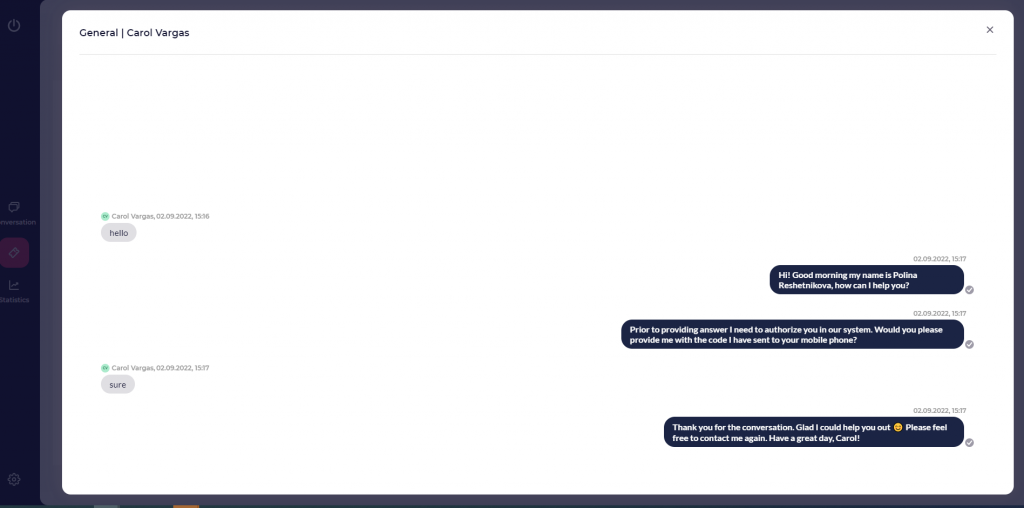


Case management in LiveBank is available only to the bank (agent and administrator roles). Customers cannot manage cases.
Table of Contents
Case Management by Agent
The agent has the following functions for managing the client’s file:
Changing the Status of the Current Customer File
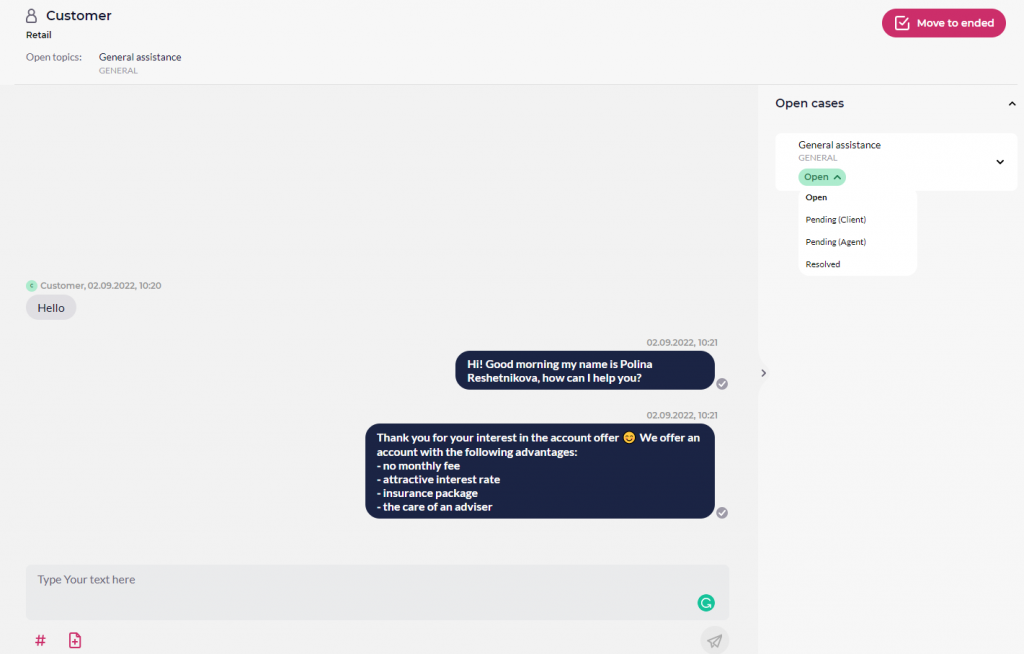
The agent can change the status of an unresolved customer case to any of the statuses listed in the specified list. The status can be changed during the conversation with the customer (from the “In Progress” tab) and from the “Completed” tab once the conversation has ended but the case has not yet been resolved.
If the agent has just changed the status of the current case to “resolved” and the customer is still participating in the conversation and typing their final message—for example, “Thank you for your help”—the customer’s new activity is automatically added to that customer’s most recent resolved case.
Change the file type of the current client
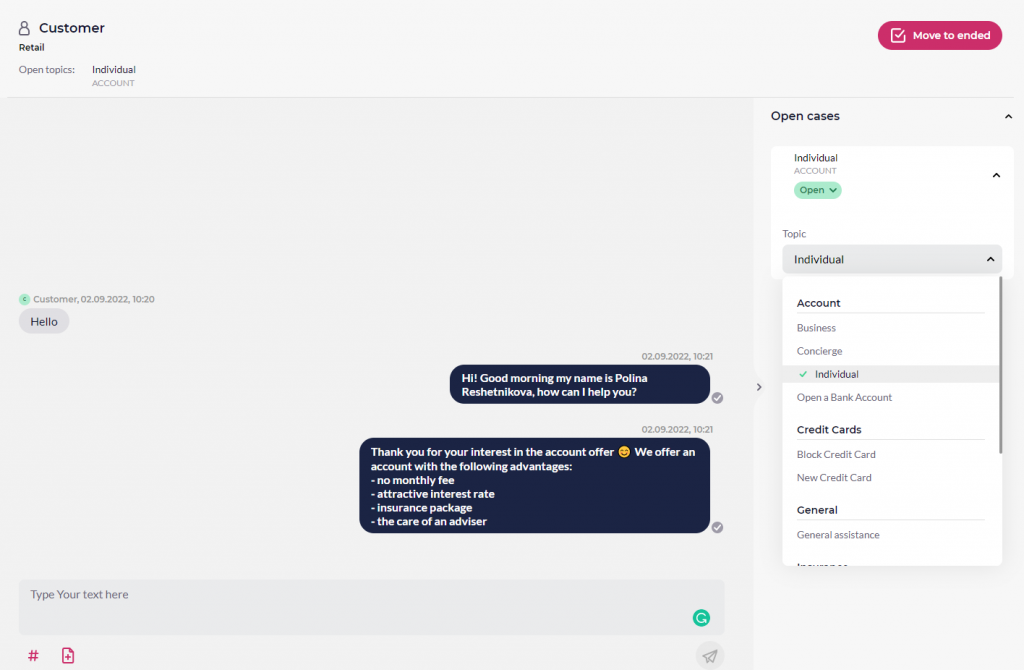
The agent can change the assigned topic and, therefore, the case type for the conversation.
Example of use: During a conversation with a customer—who had initially logged in from a location that had automatically been assigned the “Credit Card” case type—it was discovered that the customer’s request was for a “Loan.” In this case, the agent can change the assigned case type from “Credit Card” to “Loans” by modifying the corresponding topic.
Open a new case for an outbound message
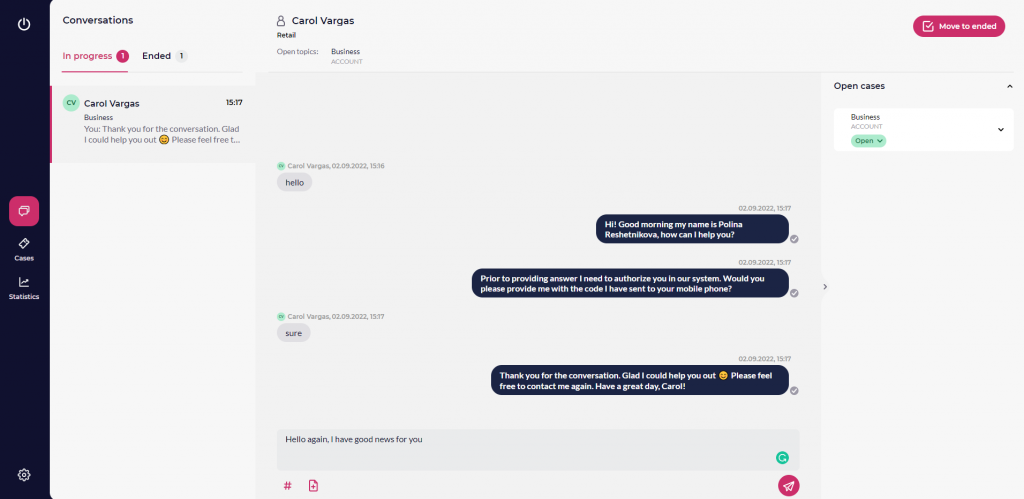
When an agent wants to start an outgoing conversation with a customer, they select the completed conversations in the “Completed” tab, click the “Continue Conversation” button (this option is only available for authenticated customers), and select a topic for the upcoming conversation with the customer. The topic will be assigned to the corresponding case type.
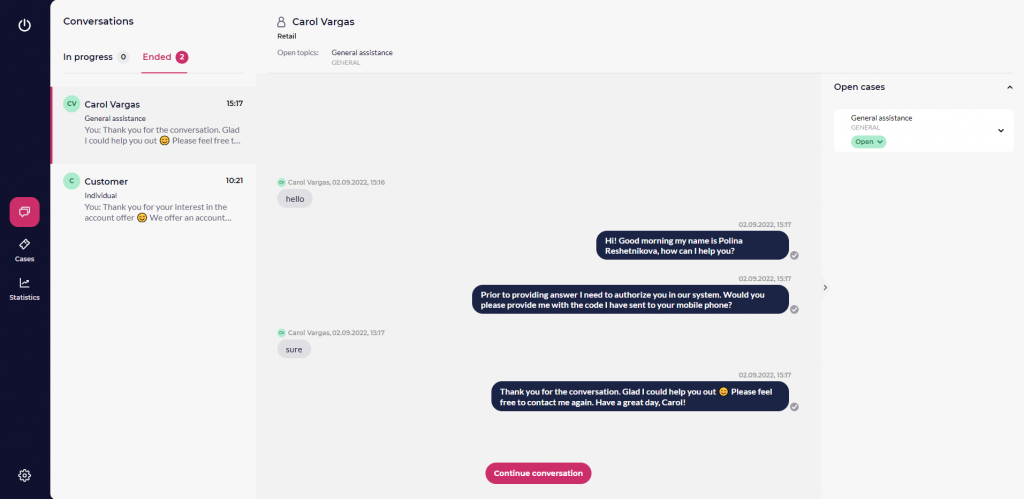
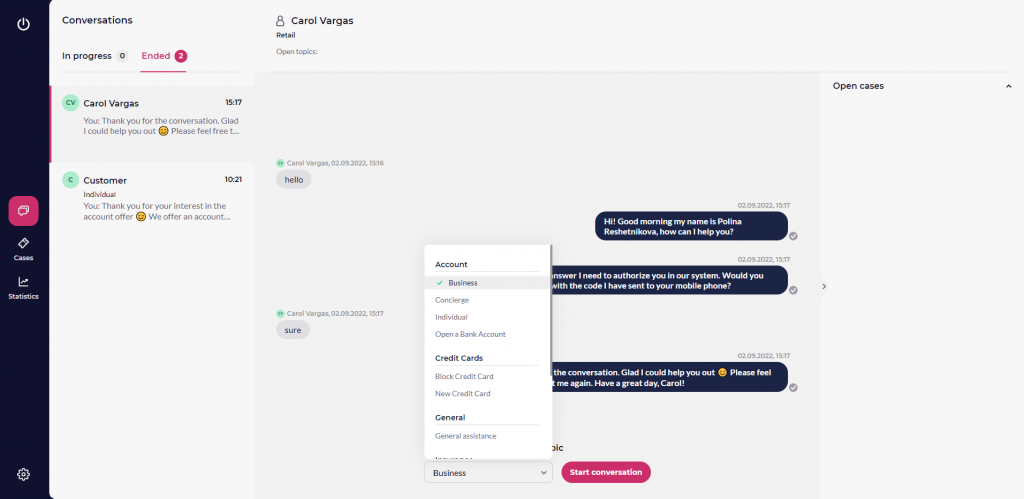
This allows the agent to handle the conversation with the customer regarding the selected topic or case type.
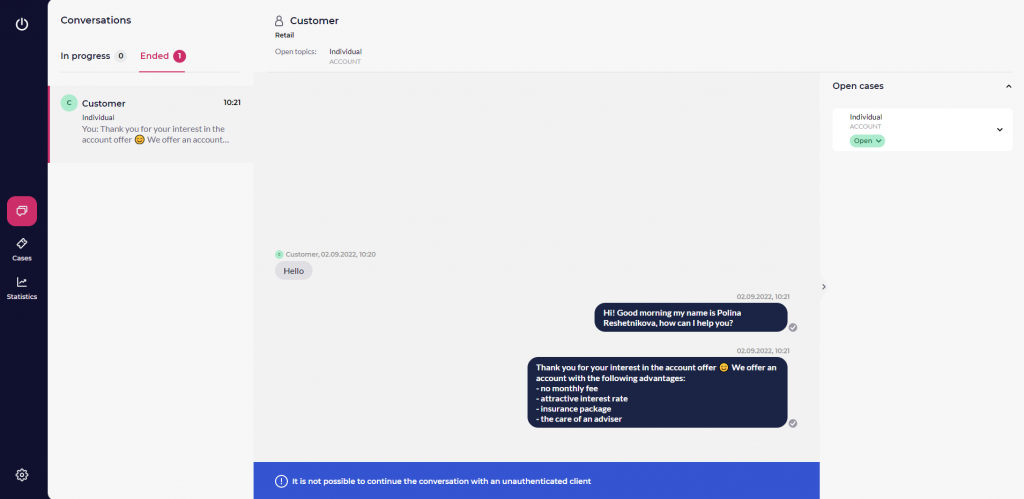
It is impossible to connect to unauthorized clients using outbound messages.
Case Management by the Administrator
Case Index
- LiveBank includes a special module dedicated to cases. The cases module is located in the first column, below the conversations module. Once the cases module is open, a bank user with the appropriate permissions can view all cases in the system or a specific set of them. For example, the administrator has access to all cases in the line of business (LOB), while the agent has access to cases in which they have been or are the assigned agent.
- The case table includes the following information about each case:
- First column: customer’s first and last name, or “Customer” in the case of an unauthenticated customer
- the second column: Subject (top) and Case Type (bottom)
- 3rd column: case status
- 4th column: Date this case was created
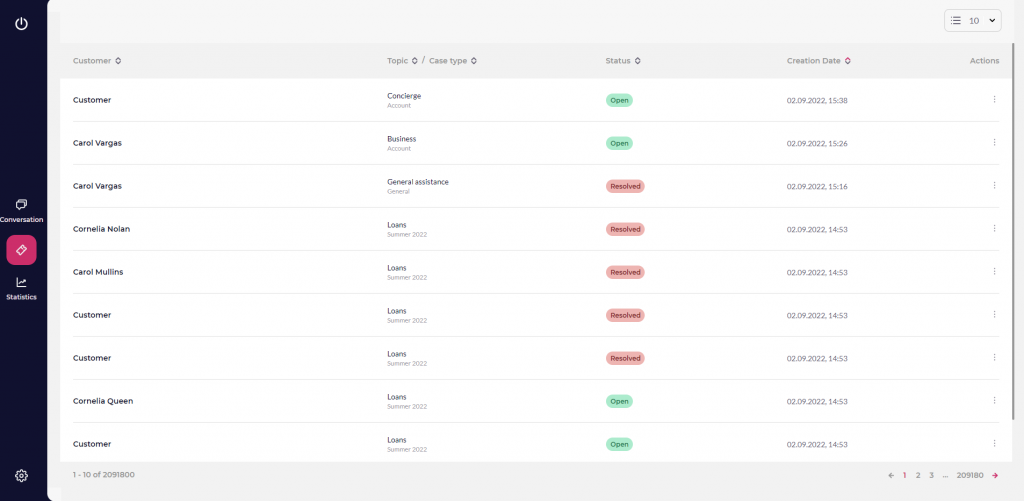
The agent or administrator can access all available cases and view all activities related to the selected case.