

Table of Contents
What is a chat conversation?
A customer who is accustomed to using various chat apps in their daily life easily adapts to communicating with the bank through this medium as well. Chat is an option for conducting an asynchronous conversation between an unauthenticated customer and a bank employee. This type of connection makes it possible to resolve customer issues at any time, regardless of whether the other party is available at that moment. Unauthenticated customers can also chat with bank employees, but only synchronously.
Using Chat
A chat connection is established when you send a message in the chat window of the LiveBank app, which is available on the bank’s website or through mobile banking.
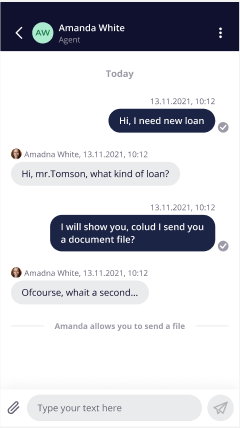
After the message is sent, the system automatically assigns the conversation to the appropriate agent based on routing rules and specific initial parameters, such as the case type.
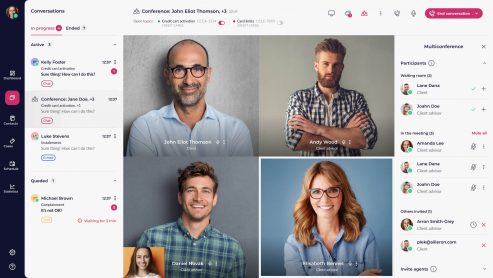
The routing system automatically assigns chat connections to an agent who is logged in and has the “available to chat” status; these appear in the “Conversations” module, on the “In Progress” tab.
The agent can view the customer’s details or information indicating that the customer is not logged in, as well as the subject and case type of the conversation assigned to them.
An agent can handle more than one chat conversation and, during a conversation, can freely switch between chats and other modules in the application without interrupting the current conversation.
During the conversation, the agent can manage the case by assigning it the appropriate statuses, closing it, or creating a new one, in order to track its progress.
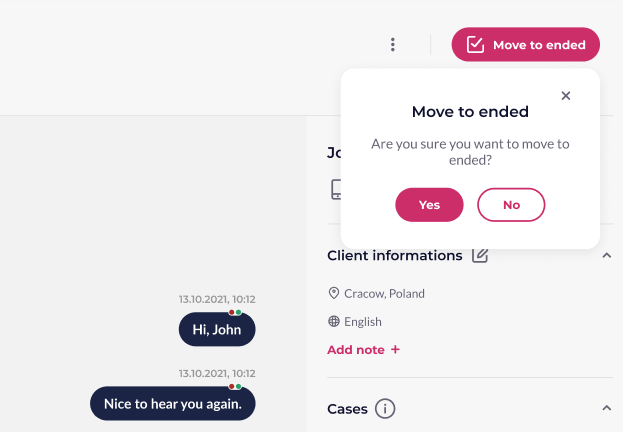
The agent may end the conversation when he or she considers that the topic has been exhausted, in order to attend to another conversation; the customer, on the other hand, cannot “end” the conversation: for the authenticated customer, it is a form of continuous communication.
Several conversations
Depending on the routing system configuration, an agent has a specific “capacity” for handling conversations, which specifies how many simultaneous chats can be assigned to them. If the configuration value is greater than 1, the system automatically assigns more chats to the agent.
When multiple conversations are open at the same time, the agent can freely switch between the chats that appear in the “In Progress” tab.
In addition, the “In Progress” tab displays the most recent message sent at any given time, allowing the agent to view the most recent messages from all active chat conversations.